The other day, I was working on the computer and Jennifer came in to get something off the printer and asked what I was doing. I told her, “I’m moving all my RSS feeds to Google reader from Safari.” She looked and me like I had a third eye and writing that out really sounds like a geeky bunch of Web 2.0. RSS feeds (RSS stands for Really Simple Syndication) are really helpful to keeping up to date on the websites you frequent. Let me explain.
I found this cool video that explains this really well. Check it out. What RSS allows you to do is have an “inbox” for all your favorite websites. When they update content on their site or post a new blog, your RSS reader gets it for you. Think of it this way. You don’t have to check 50 different email boxes to see if any one of your friends wrote you and email. You check one inbox. By having a RSS reader you only have to check one place to see if your favorite websites have posted any new info. Ok, sound cool? How do you get started? Read on.
First you need a reader. I use NetNewsWire(Google & Yahoo have readers also), but there are a million of them available. Once you have signed up, just go to your favorite websites and look for the RSS logo  or something that says “Subscribe or RSS”. The video does a good job in explaining this.
What’s great is that I don’t waste a bunch of time going to site after site after site to see if there is anything new at them. I just check my reader and I’m done. I hope you find this tip useful. I have been using a reader for about a year and I love it.
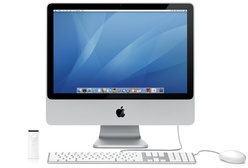 Every time someone comes in my office and stares slack-jawed at my 24″ iMac, I realize that the world is still a PC (not politically correct, although that is true) place. Twice today, I spent the better part of a half-hour explaining the greatness of all that was birthed by Mr. Jobs. My iPhone, iLife, the ease to which you can put together a photo display, spaces, application integration, etc, etc, etc.